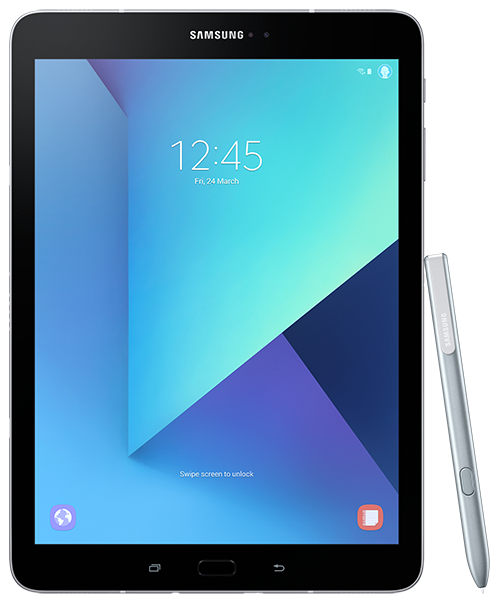





Below is the official user guide/manual for the Samsung Galaxy S III. Click the icon to open/download.
A specialist provider of mobile technology products, including smartphones, tablet pc’s, netbooks, data cards and associated accessories.
Telephone: 01202 552936
Fax: 01202 552937
Email: sales@clove.co.uk
Website: www.clove.co.uk
Subscribe to a monthly roundup of the best articles from the Clove Blog
A few random interesting things popped out – (1) At last a notification LED appears! (2) The microSD slot seems to be configured so you can swap without removing the battery, which I think is new for Samsung and (3) The NFC antenna is built into the battery, which might prove problematic for third party battery manufacturers, I guess.
Very good points. Interesting about the NFC and yea like you say could make it tricky for third party manufacturers. Could make it difficult to make third-party wireless charging kits.
I have owned the SGS fascinate, the SGS E4TG and now the 3 and the sd was not blocked by the battery on any of them. All the Motorola droids I have seen were through.
OK, it’s an improvement since the (international) S2 design.
Just got my S3 and I tried to insert my sim card from my Nokia E72 and to my amazement my sim card appears to be too big. Now what do I do?
Hi Clement,
You will need a micro SIM. We do range a cutter that allows you to cut your SIM, thus making it a micro SIM. It also comes with adaptors so that the newly created micro SIM can still be used as a normal SIM.
http://www.clove.co.uk/micro-sim-card-cutter-with-sim-adapters
i have recently bought a samsung galaxy s3 and the sim card is not accepted by the phone…i sent it to a repair shop but they said thesim slot is damaged..!
now i have no idea on what to do and the phone is useless..
any suggestions??
Maybe you could return it to the supplier? Have you had problems with the sim card slot from the day you bought it?
yeah..!
i have returned it thank god it had guarantee…!
thanks anyway…!
where can i buy a user manual for samsung s3 pdf no use for carrying around in truck on continent
Hi Geoff,
Thanks for your comment. Unfortunately there is not a paper manual available – you would need to print the PDF version.
Download it and save it in the Dropbox so you have it where ever you go. also havde a folderf on my Desktop with all the User guides as I do in Dropbox as well
In the instructions it says select and then select dustbin. Problem no dustbin icon so no delete. Come on guys sort it out before I totally fill my gallery with junk pictures.
If you mean in the gallery application, you need to tap the photo to view it, then tap the screen again to bring up the dustbin icon. Alternatively, long press the photo in the multiple image view.
No that did not work. All I get on multiple view after a long hold is share,mail orthree lines inside the three lines I get edit,crop,,set pictur as, details. Certainly no dustbin logo.
Curious; try deleting from the My Files application.